Approvals
Approvals lists every computer your AI signed in from, every AI app you connected, and every change to your live app you approved. You approve each one in your browser, and you can end any of them here at once.
Steps
Overview
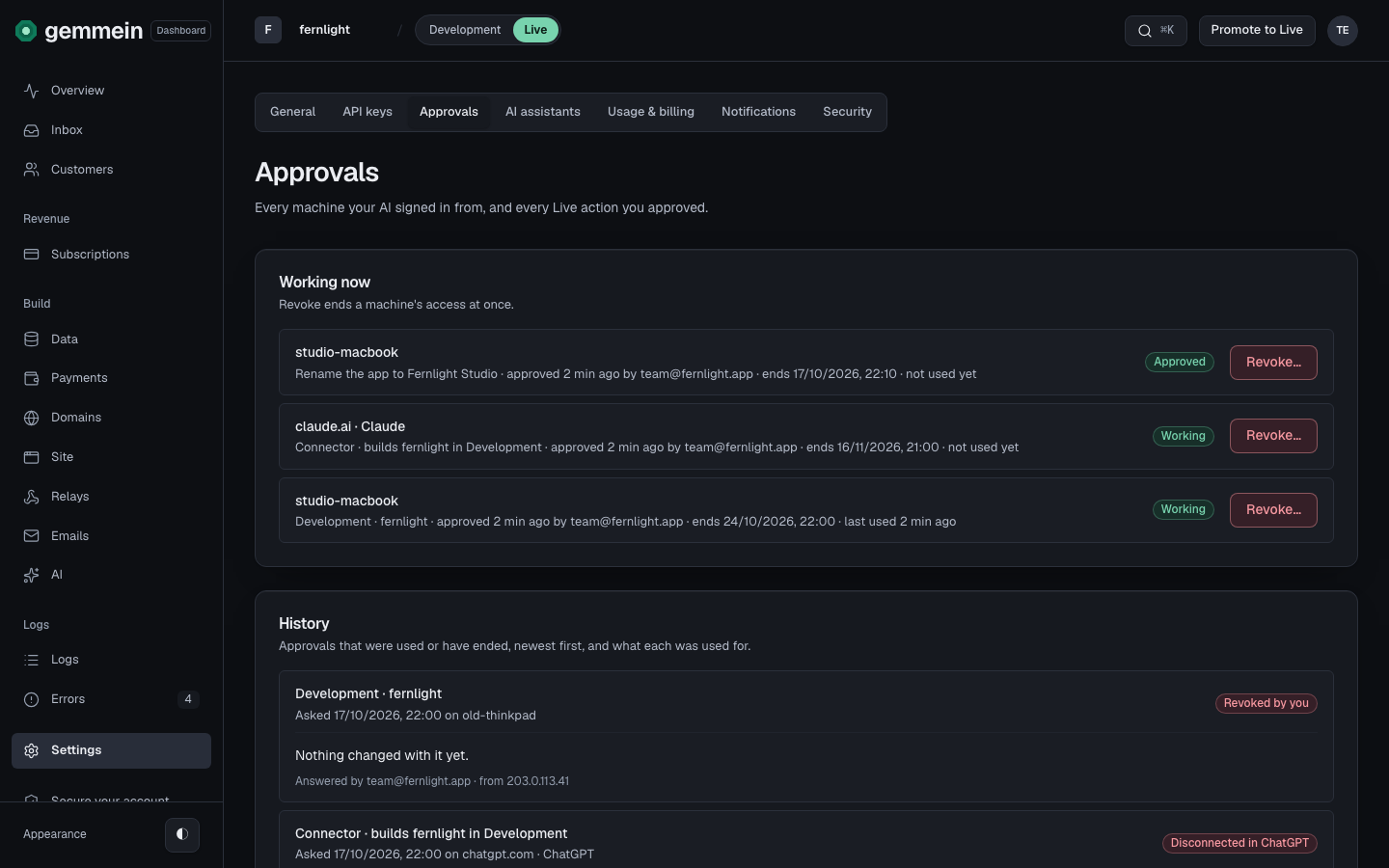
Open Settings, then Approvals. Working now lists each computer and AI app that can work on your app: when you approved it, when it ends and when it was last used.
Approving
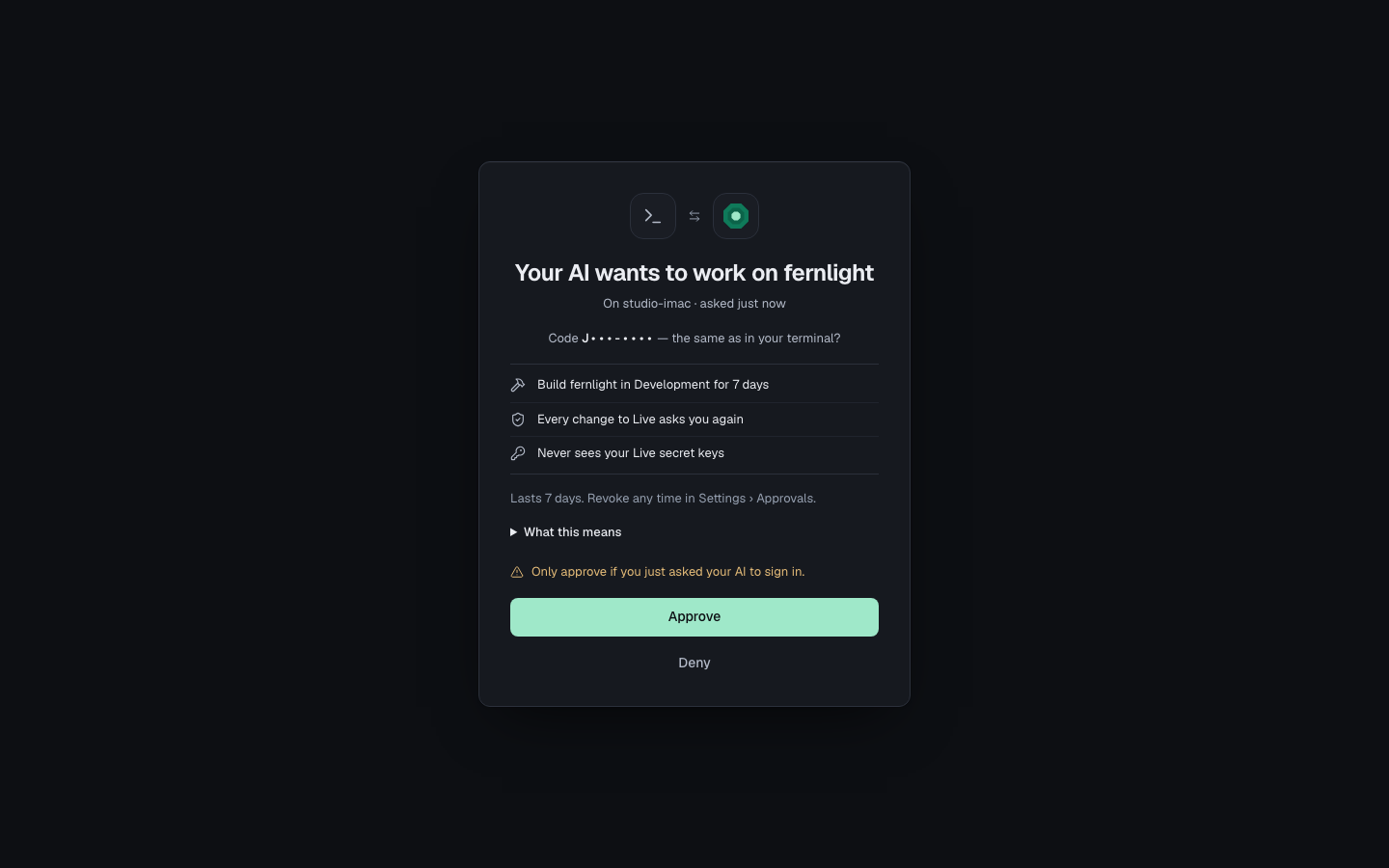
When your AI signs in from a new computer, Gemmein opens a page that says what it may do. Choose Approve, or Deny if you didn't ask for it.
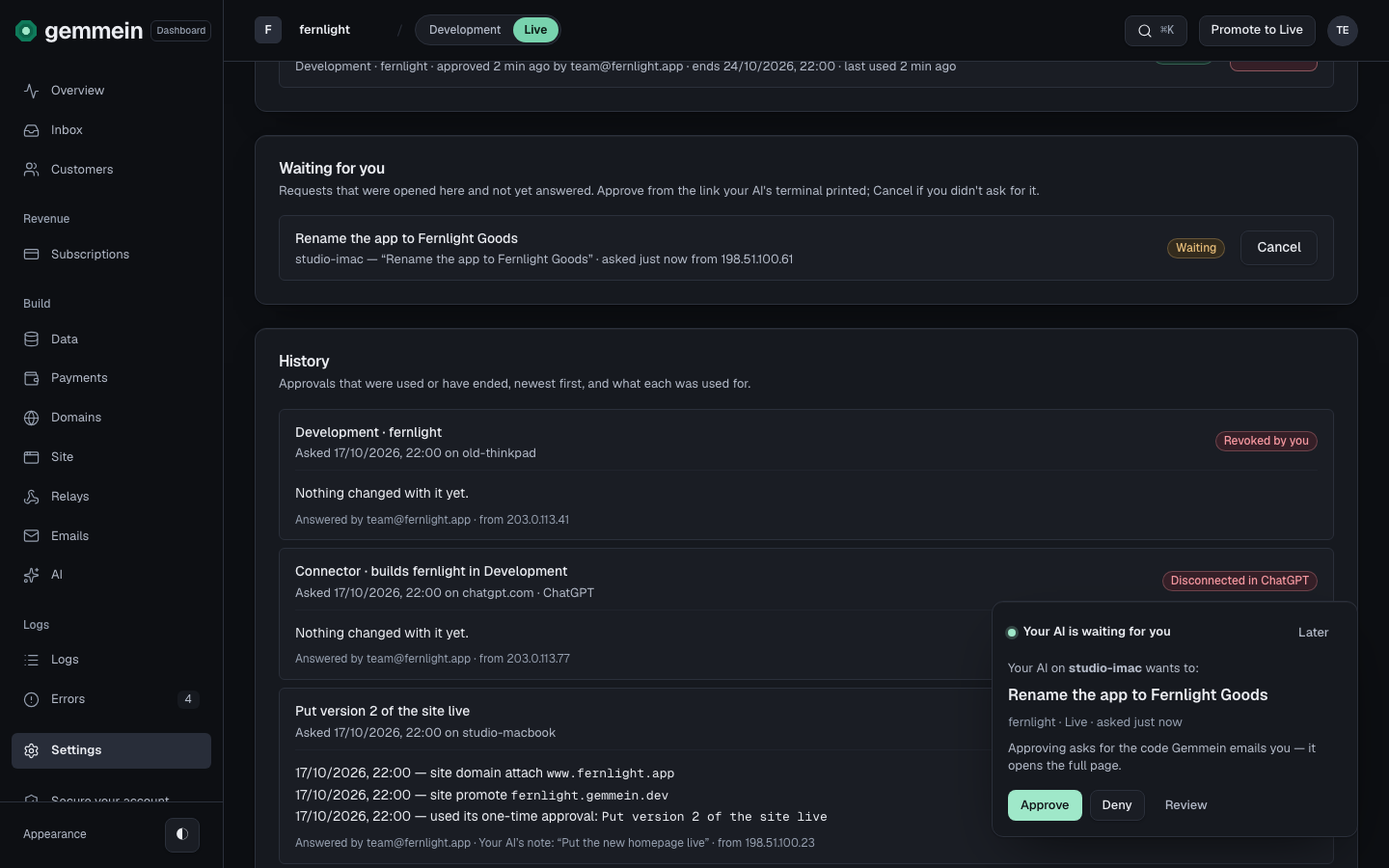
Waiting for you lists what your AI asked for and you haven't answered yet. Approve it from the link your AI gave you, or choose Cancel if you didn't ask for it.
Ending access
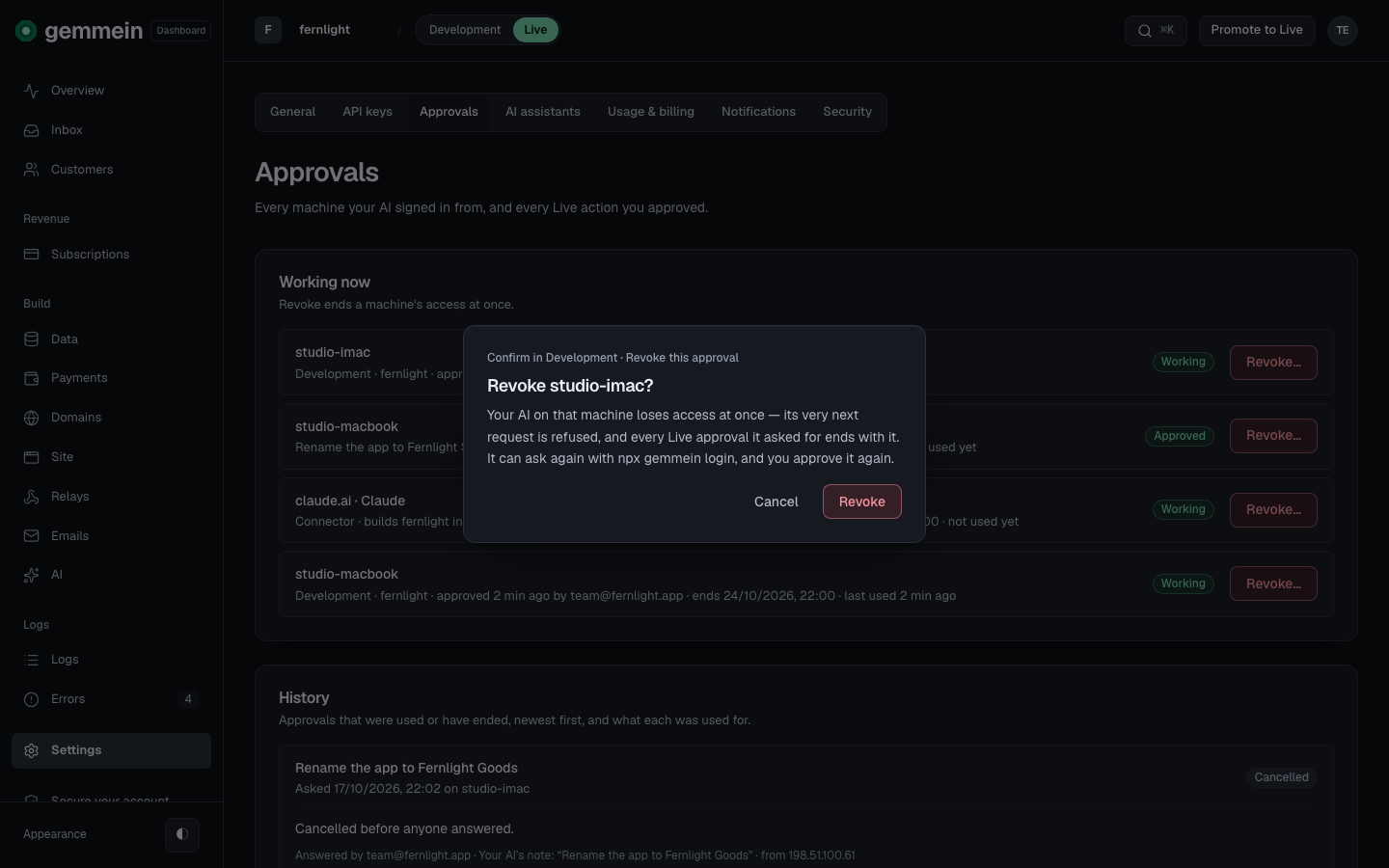
Choose Revoke… to end a computer's or AI app's access at once. Its next request is refused, and it can ask again only for you to approve it again.
History
History lists approvals that were used or have ended, newest first, and what each did. Each says how it ended: Used, Ended when its time ran out, Cancelled, Revoked by you, or Disconnected in ChatGPT when you removed Gemmein in ChatGPT itself.

Choose See what it did under a change to your live app to read exactly what it changed.
Errors
This request was cancelled. See every approval in Settings › Approvals.
A request can be answered once. Ask your AI to ask again, and approve the new link.
How your AI asks and how you approve: Connect your AI.
Thanks for telling us.
Thanks for telling us.
Last updated