Notifications
Notifications, under Settings, is what Gemmein emails you about your app; Emails, under Build, is what your app may send the people using it. Choose which alerts you get, and turn off all your app's emails at once. Four alerts are always on: the three about your bill and the one that protects your payments. Alerts are for your live app: Gemmein never emails an alert about a Development event, and the app-email and alert settings are the same in Development and Live.
Steps
Overview
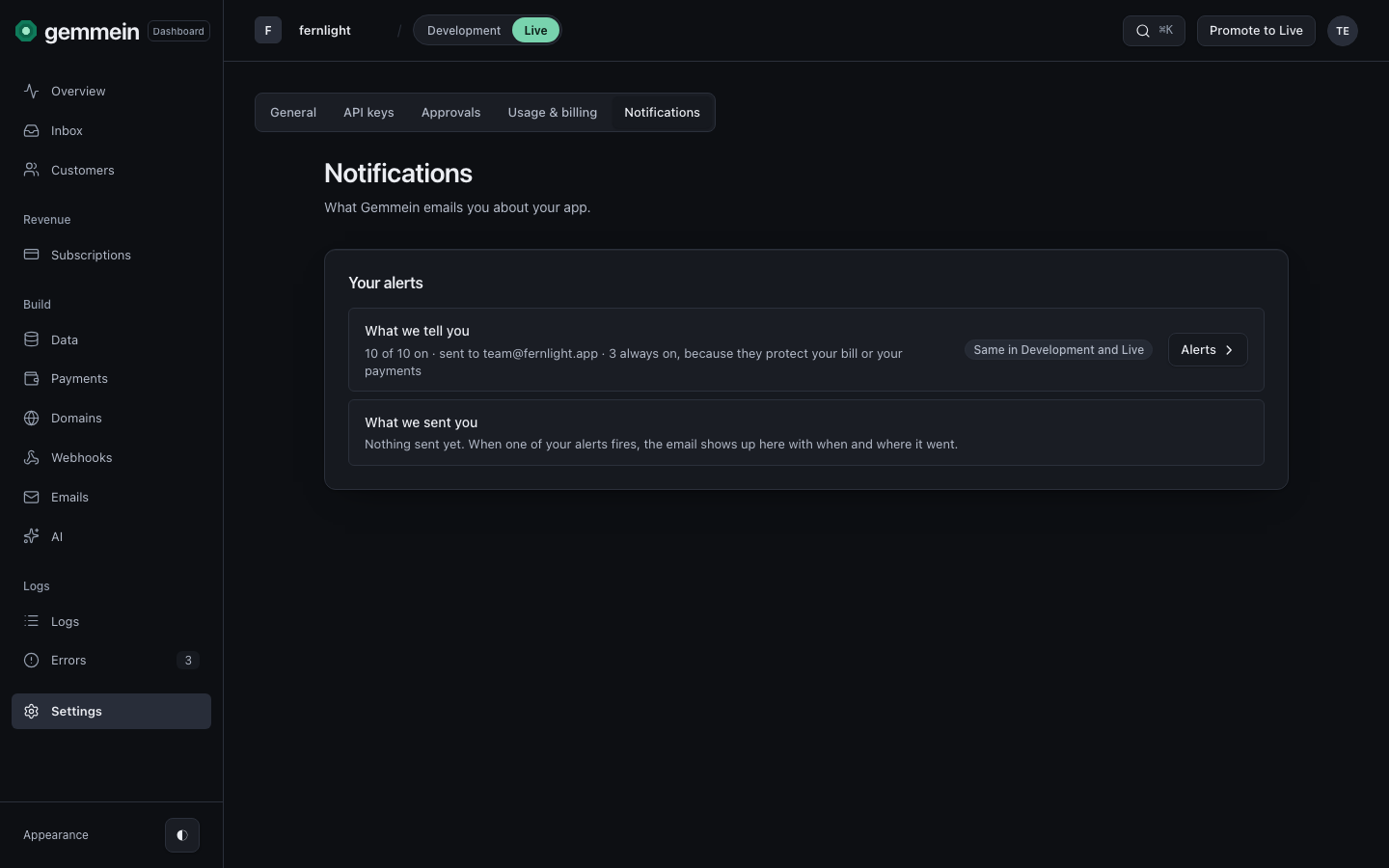
Open Settings, then Notifications, to see which emails Gemmein sends you about your app, and what it has sent. In Development the sent list is replaced by "Alerts are for your live app."
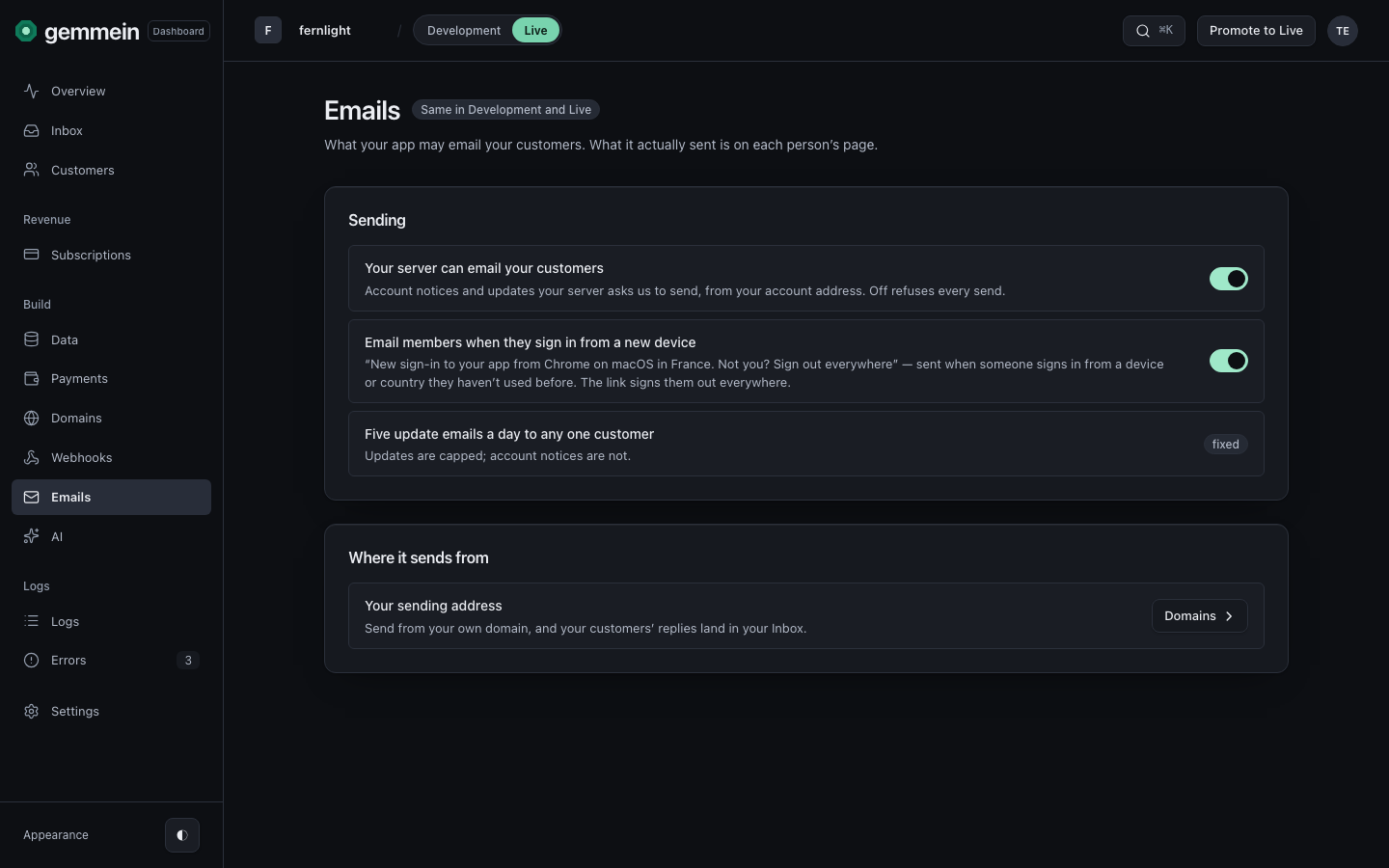
What your app may send
Open Emails to turn off every email your server asks Gemmein to send, all at once. News emails are capped at five a day per person.
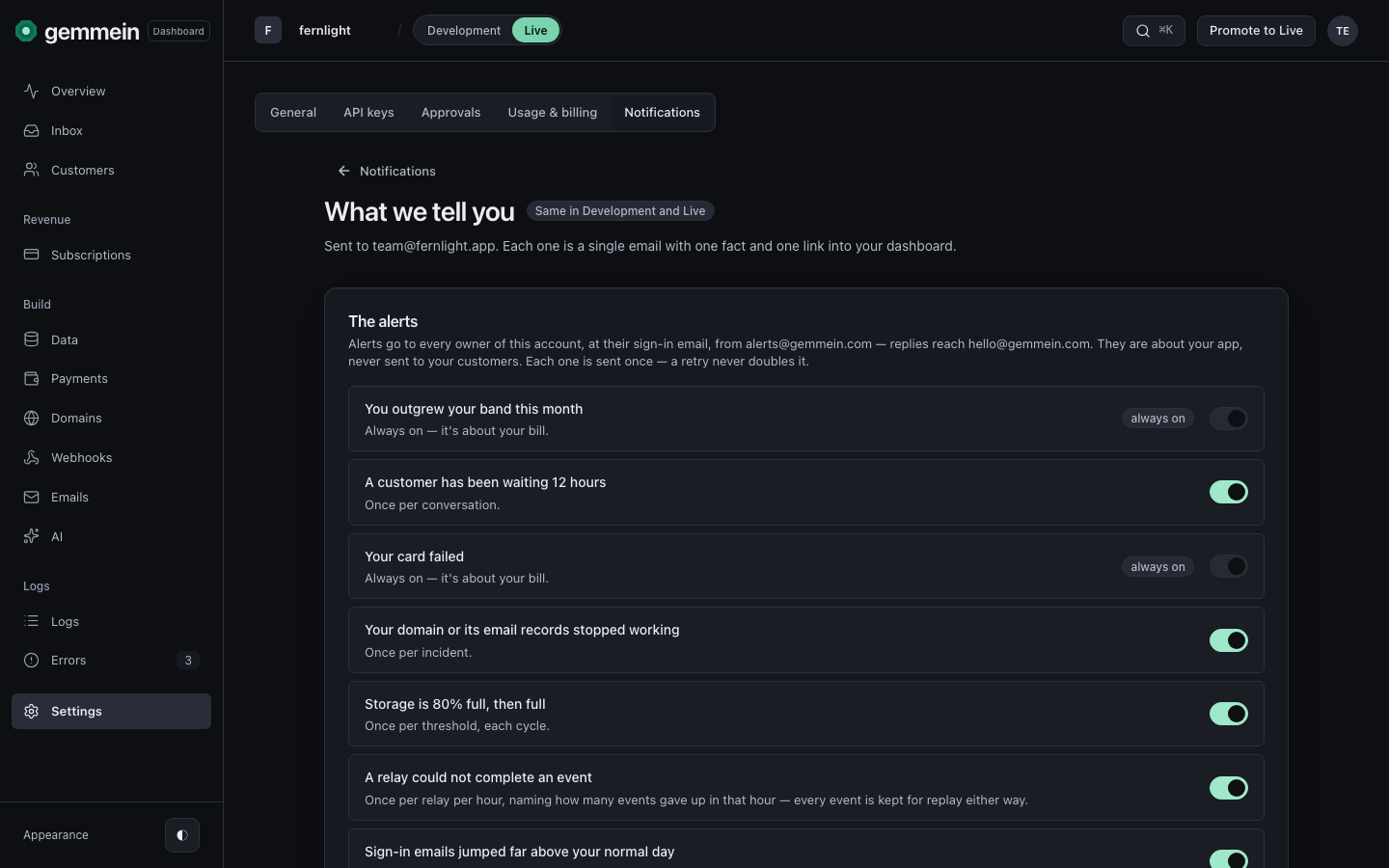
What we tell you
Open What we tell you to choose which alerts Gemmein emails you about your app. Each alert states one fact and links into the dashboard.
What we sent you lists each alert once it has gone out, newest first, with when and where it went.
Errors
Always on — it's about your bill.
Six alerts are always on: the five about your bill and the one that protects your payments. They reach you whatever else is turned off: “Your app went past a ceiling or its tier's people”, “Your app reached 80% of its tier's people”, “New sign-ups or uploads are waiting”, “Your card failed”, “Live paused, pausing soon, or back” and “Someone tried to connect your Stripe account elsewhere”.
What happens if…
If your app goes past a ceiling or its tier's people this month → Gemmein emails you “Your app went past a ceiling or its tier's people”. Always on, because it is about your bill. Nothing is charged for it.
If your live app's active people reach 80% of its tier's people → Gemmein emails you “Your app reached 80% of its tier's people”, once per app each cycle, with the count, the limit and the tier. Always on, because it is about your bill. Moving up a tier is on Usage & billing.
If your live app's people or storage grace ends (the lesser of 10% over or 7 days) → Gemmein emails you “New sign-ups or uploads are waiting”, once each time a grace ends, saying which now wait: new people at sign-up, or new uploads. People already in and files already saved keep working. Always on, because it is about your bill. Move up a tier, add a storage pack or delete files on Usage & billing.
If the payment for your Gemmein plan does not go through → Gemmein emails you “Your card failed”. Always on, because it is about your bill.
If another Gemmein account tries to connect your Stripe account → Gemmein emails you “Someone tried to connect your Stripe account elsewhere”, at most once a day per Stripe account. Always on, because it protects your payments. The attempt is refused and your Stripe account stays connected to your app only.
If a customer has waited 12 hours for a reply in your Inbox → Gemmein emails you “A customer has been waiting 12 hours”, once per conversation. With it off, the Inbox still shows the conversation waiting.
If your domain or its email records stop working → Gemmein emails you “Your domain or its email records stopped working”, once per incident. With it off, Domains still shows it.
If your app's storage reaches 80% of its limit, and again when it is full → Gemmein emails you “Storage is 80% full, then full”, once per threshold each cycle. On Live, uploads keep working for the lesser of 10% over or 7 days; past that they are refused until files are deleted, a pack is added or the app moves up a tier (in Development, past twice the limit). With it off, Usage & billing still shows it.
If a relay gives up on an event after its last retry → Gemmein emails you “A relay could not complete an event”, at most once per relay per hour, naming how many events gave up in that hour. Every event is kept for replay on the Webhooks page either way.
If a day's sign-in emails in your live app pass both 1,000 and ten times your last seven days' average → Gemmein emails you “Sign-in emails jumped far above your normal day”, at most once a day. Nothing is refused: sign-in emails have no daily limit. With it off, Usage & billing still shows the count.
If Gemmein's checks find your Stripe key revoked or changed (checked every day), or its webhook deleted, disabled, pointed elsewhere or missing events (checked every 6 hours) → Gemmein emails you “Your Stripe connection broke”, once per problem. With it off, Overview and the Payments page still show it.
If you or a customer delete an account that still has an active Stripe subscription → Gemmein emails you “A deleted customer's Stripe subscription is still running”, once per subscription. Gemmein can't cancel it for you: cancel it in Stripe. With it off, Errors still shows it.
How your server emails a person, and what it may send: Auth & sessions.
Thanks for telling us.
Thanks for telling us.
Last updated