Overview
Overview opens first in the dashboard and changes when your app goes live. Before, it shows what's left and the next step. After, it shows whether anything needs you, how many people use your app and what it has earned.
Steps
Before you go live
Open Overview before your app is live to see how many steps are left before you can go live, and the next one to do.
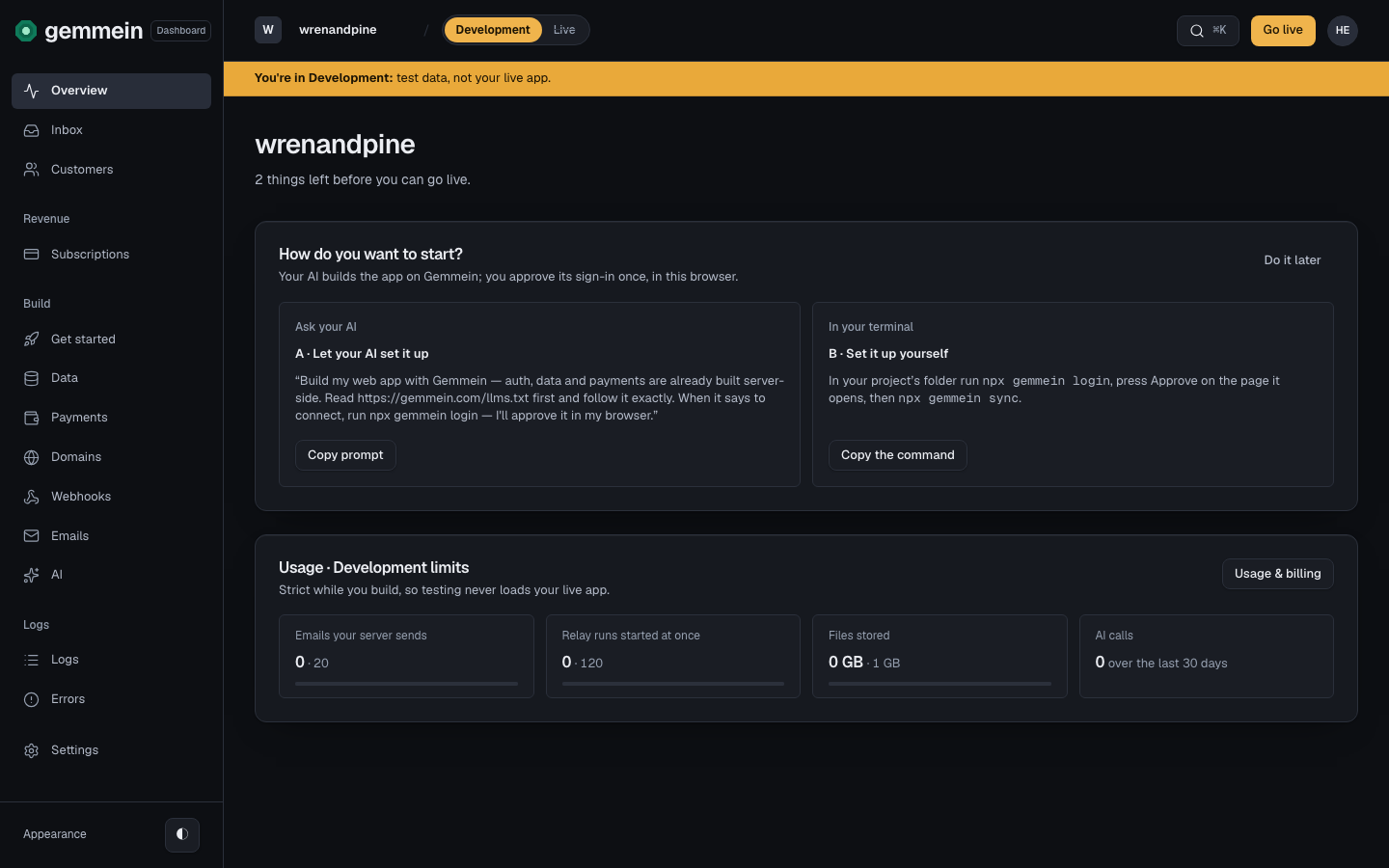
Choose the next step to open its page, or See every step for everything on Get started.
After you go live
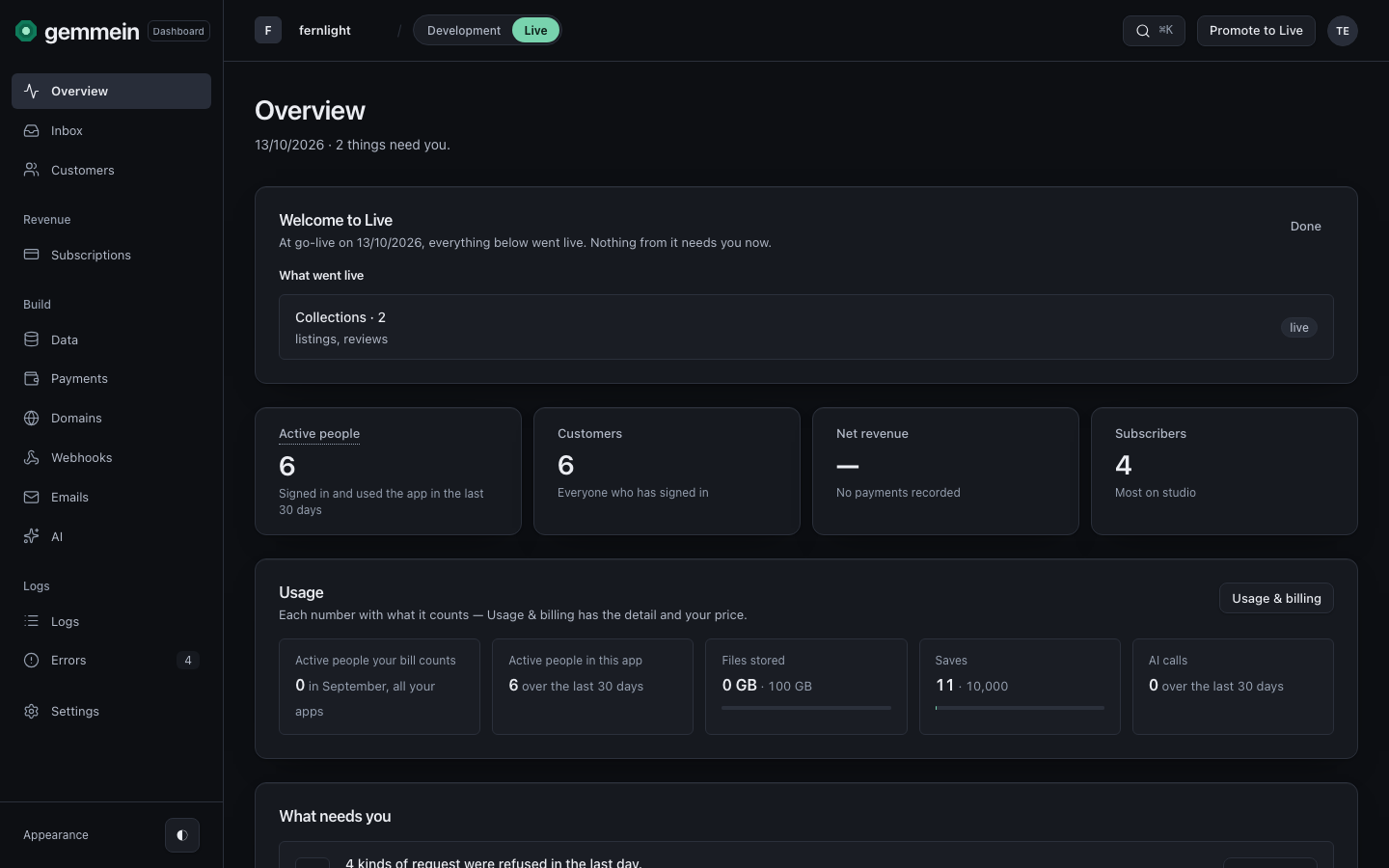
After you go live, Overview shows first whether anything needs you, then four numbers: Active people, Customers, Net revenue and Subscribers.
Scroll for Every customer so far, a chart that rises one step per person, and Happening in your app, newest first.
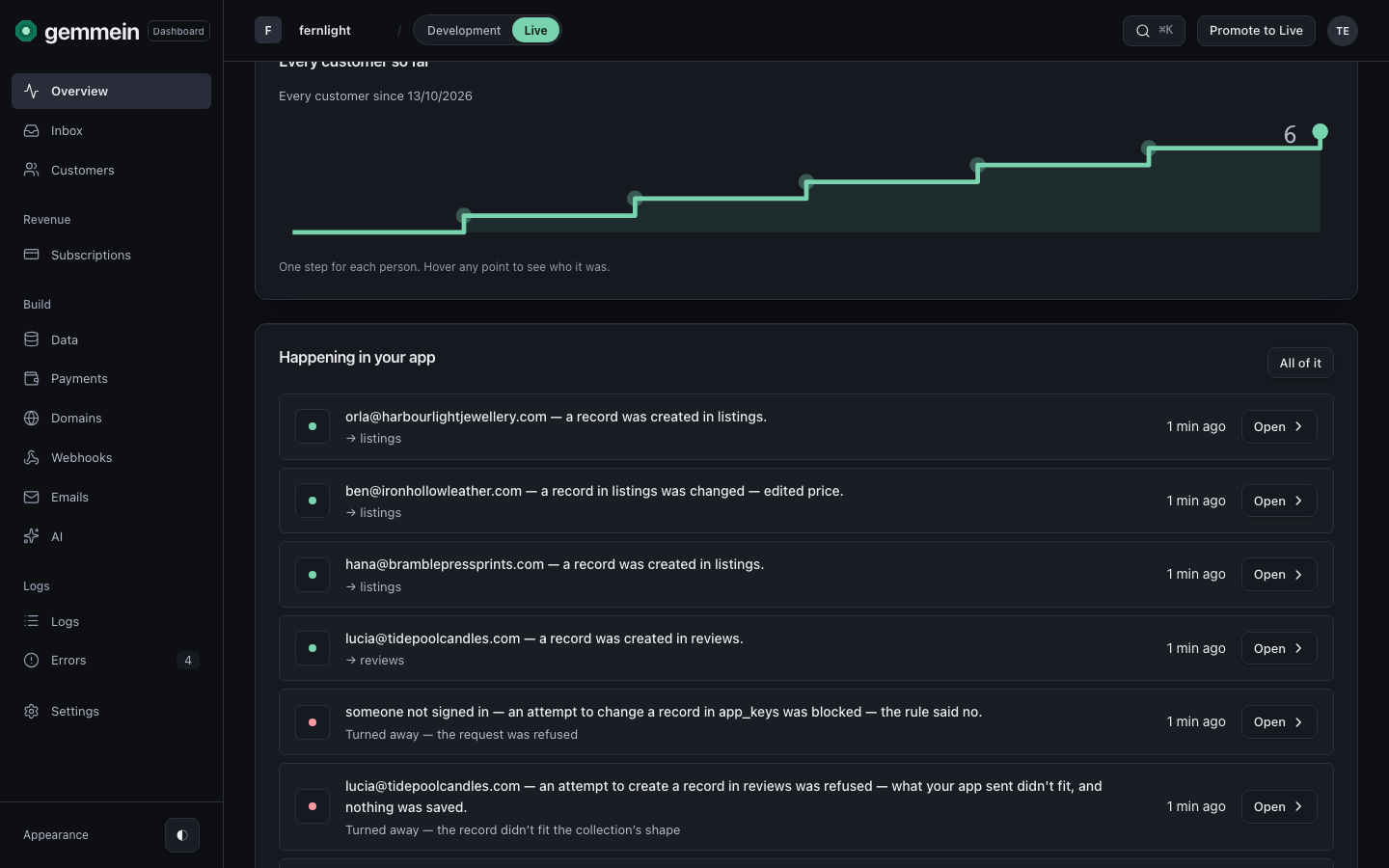
Choose an event to open it in Logs, or All of it for everything that happened.
Your app from its first key to going live: Quickstart.
Thanks for telling us.
Thanks for telling us.
Last updated