AI assistants
AI assistants holds one choice: whether an assistant you connect, such as ChatGPT or Claude, may read your customers' details. It is off until you turn it on. Below it, every assistant connected now, each with Disconnect.
Steps
Overview
Open Settings, then AI assistants. Customer details for AI assistants is off, and Connected now lists each assistant connected to your app.
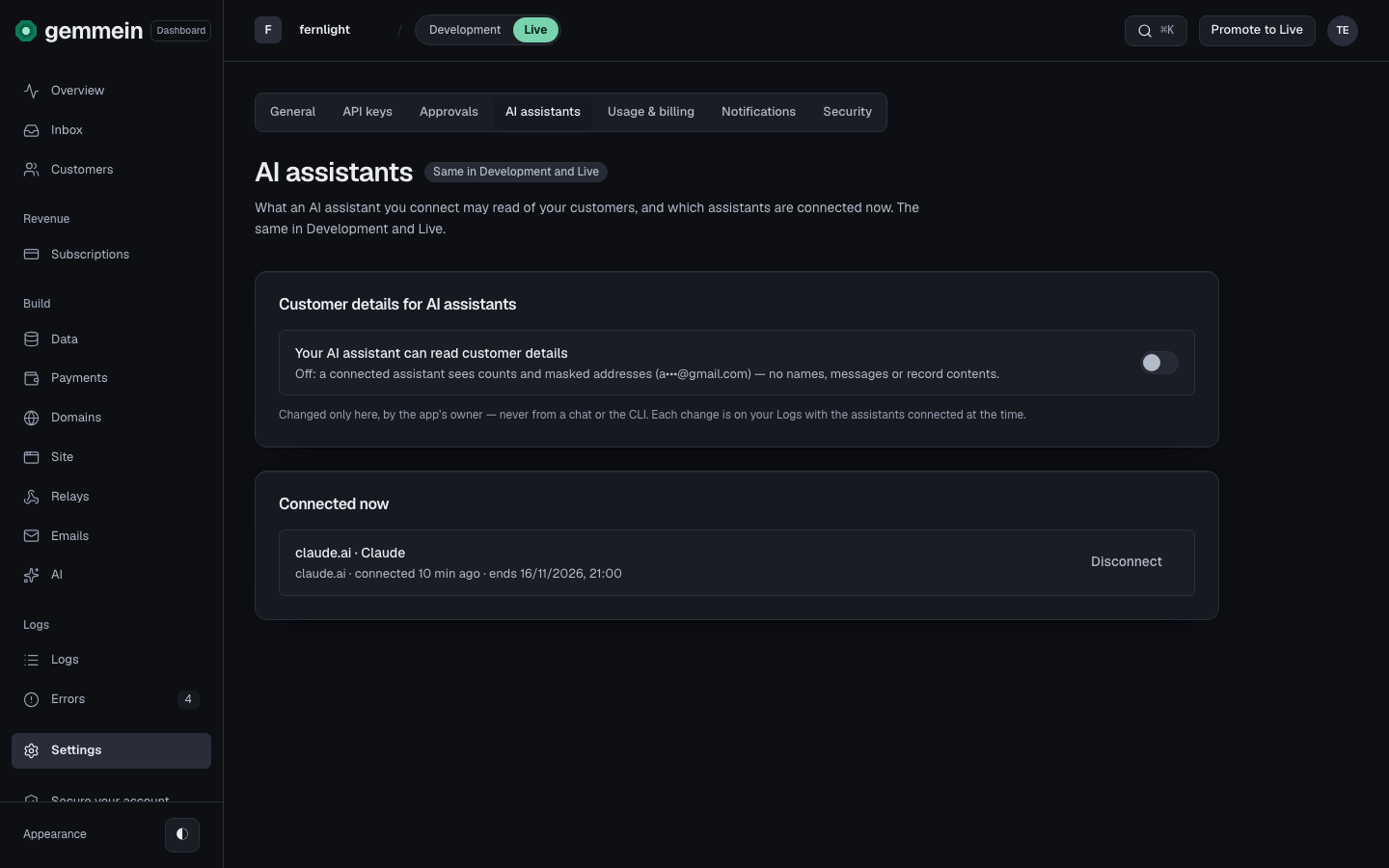
While it's off, a connected assistant sees counts and hidden addresses (a•••@gmail.com), never names, messages or what your customers saved.
Customer details
Turn it on to let a connected assistant read your customers' names, email addresses, messages and records. Read what that means, then choose Turn on, or Cancel to keep it off.
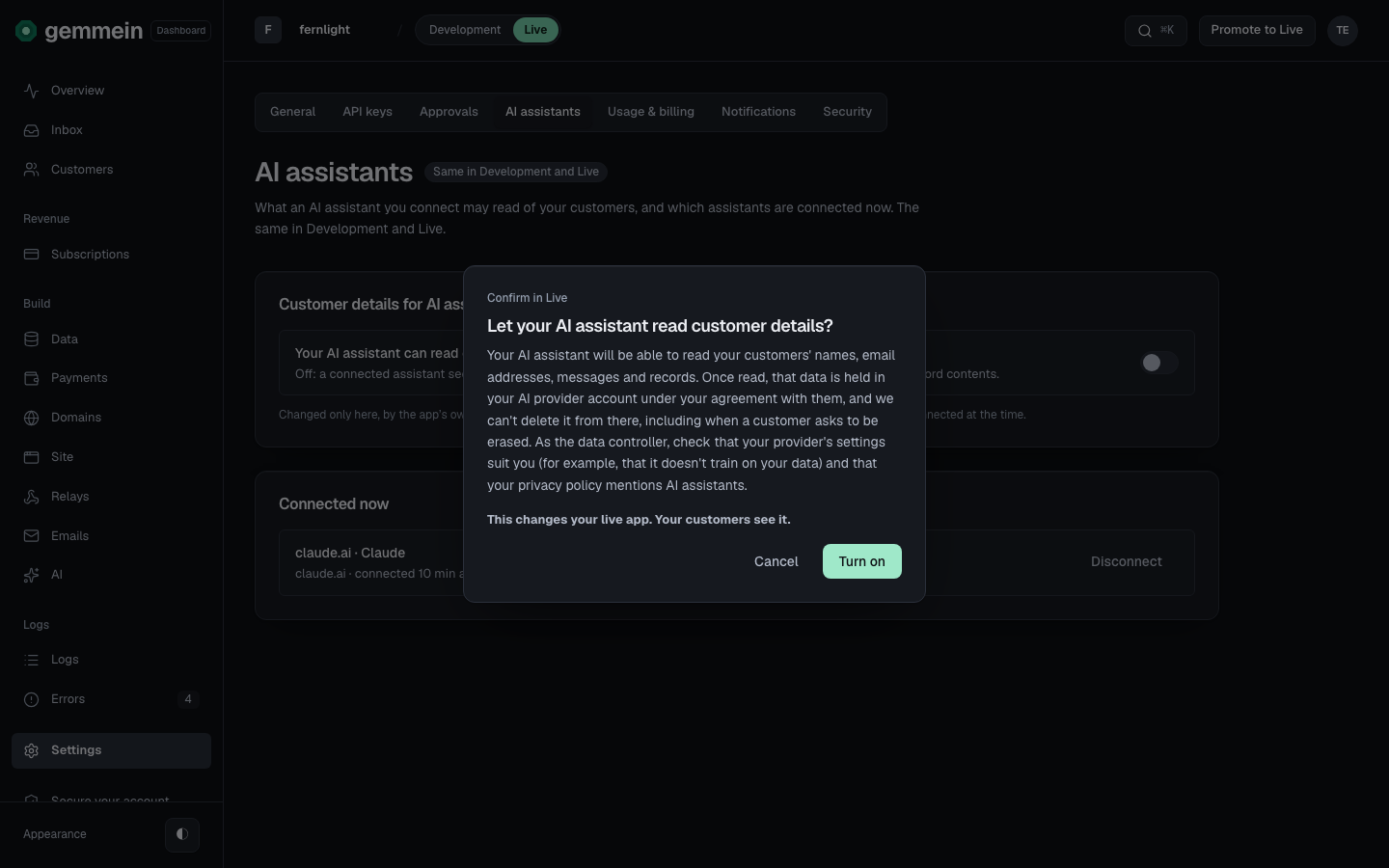
It changes only here, by you. Each change shows in Logs with the assistants connected at the time. Turning it off is one press.
Connections
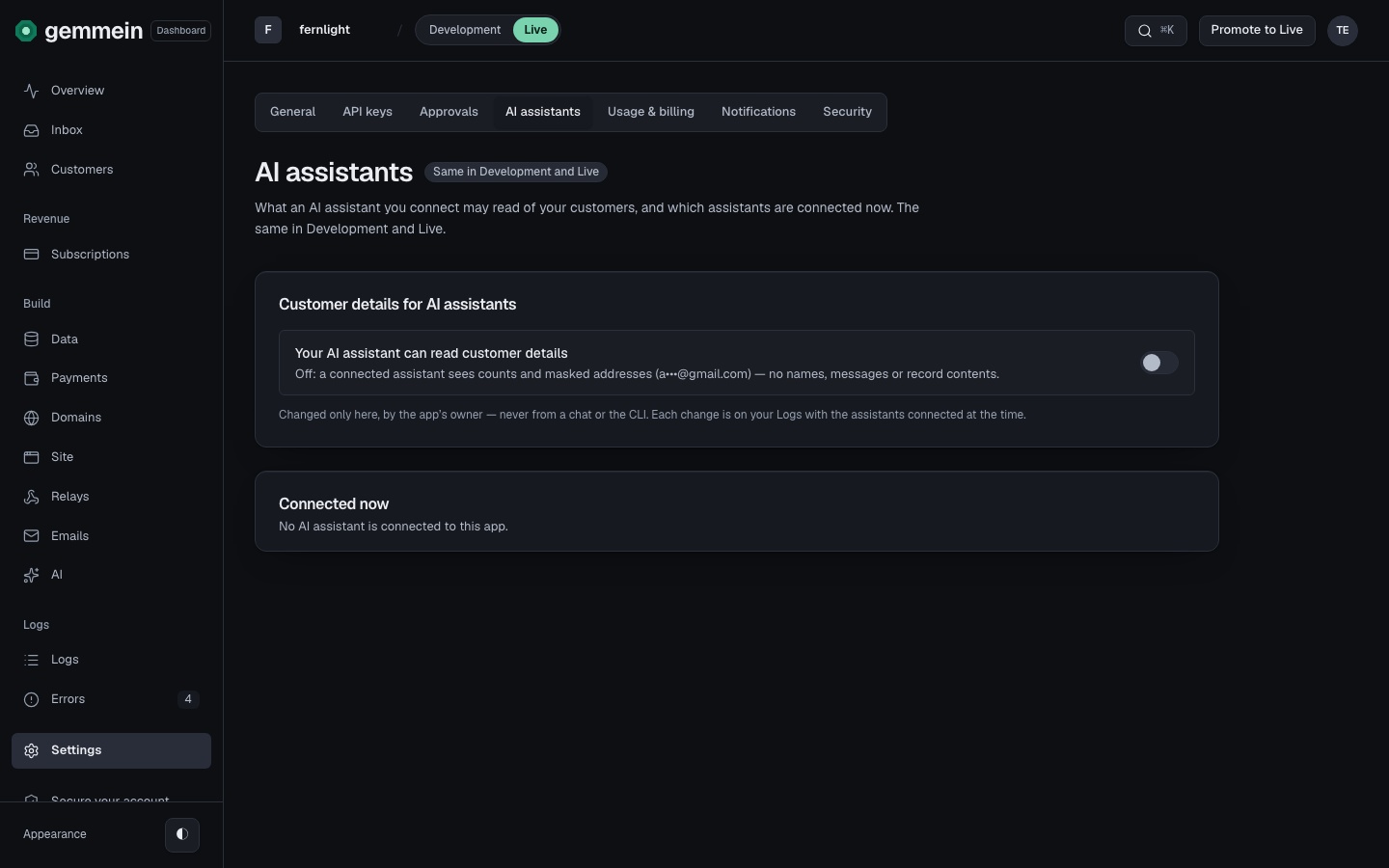
Choose Disconnect beside an assistant to end its connection. It stops at its next request, and it connects again only when you approve it again.
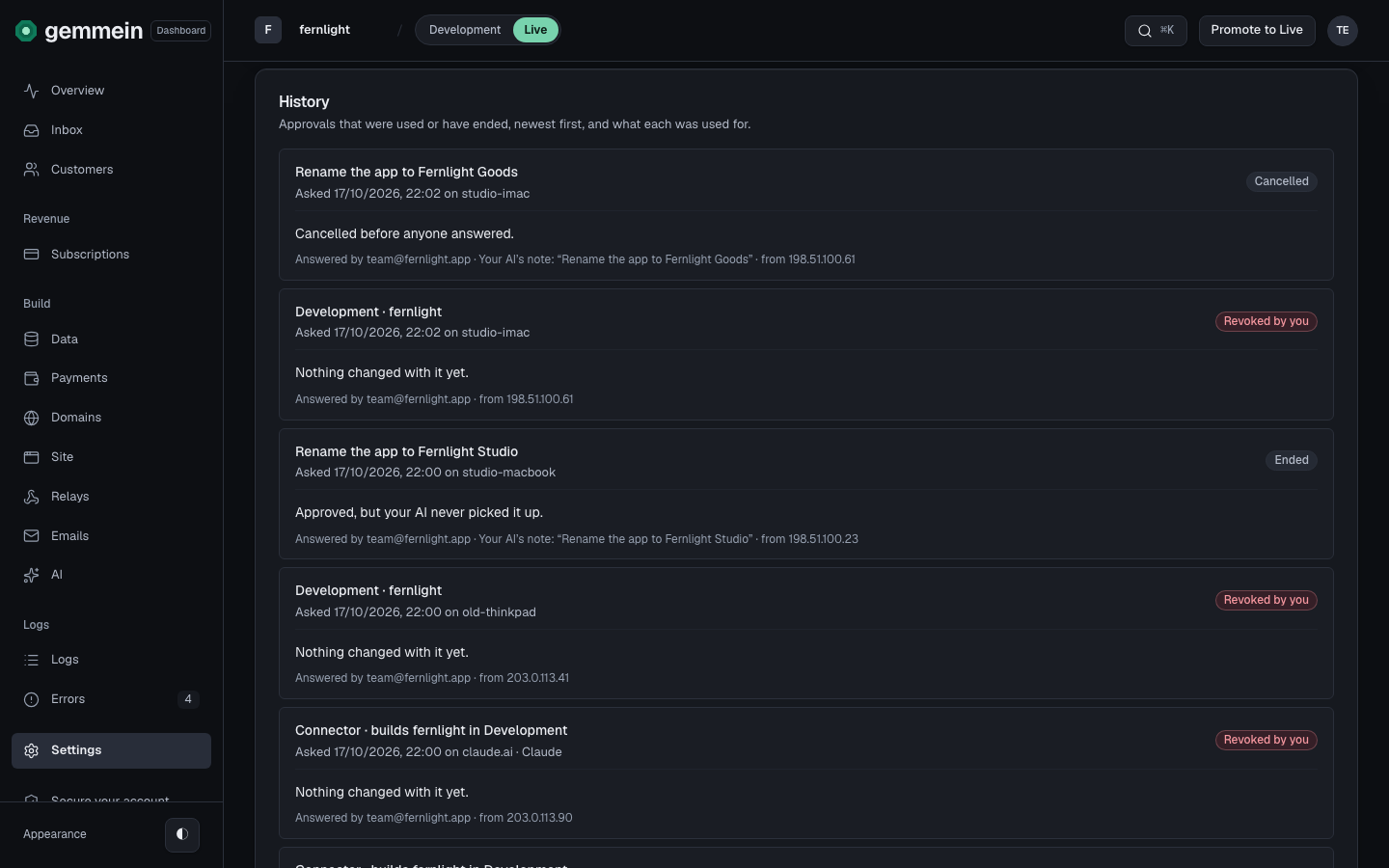
Each connection's story is in Settings, then Approvals, under History: Revoked by you when you disconnected it, Disconnected in ChatGPT when you removed Gemmein in ChatGPT, or Ended when its time ran out.
How to connect ChatGPT, Claude or another AI app: Connect your AI.
Thanks for telling us.
Thanks for telling us.
Last updated