Settings — Connections
Settings, Connections tab: whether an AI assistant you connect, such as ChatGPT or Claude, may read your customers' details; Google sign-in for your customers; and Approvals — every computer your AI signed in from and every AI app you connected, each ended how it ended.
Steps
Overview
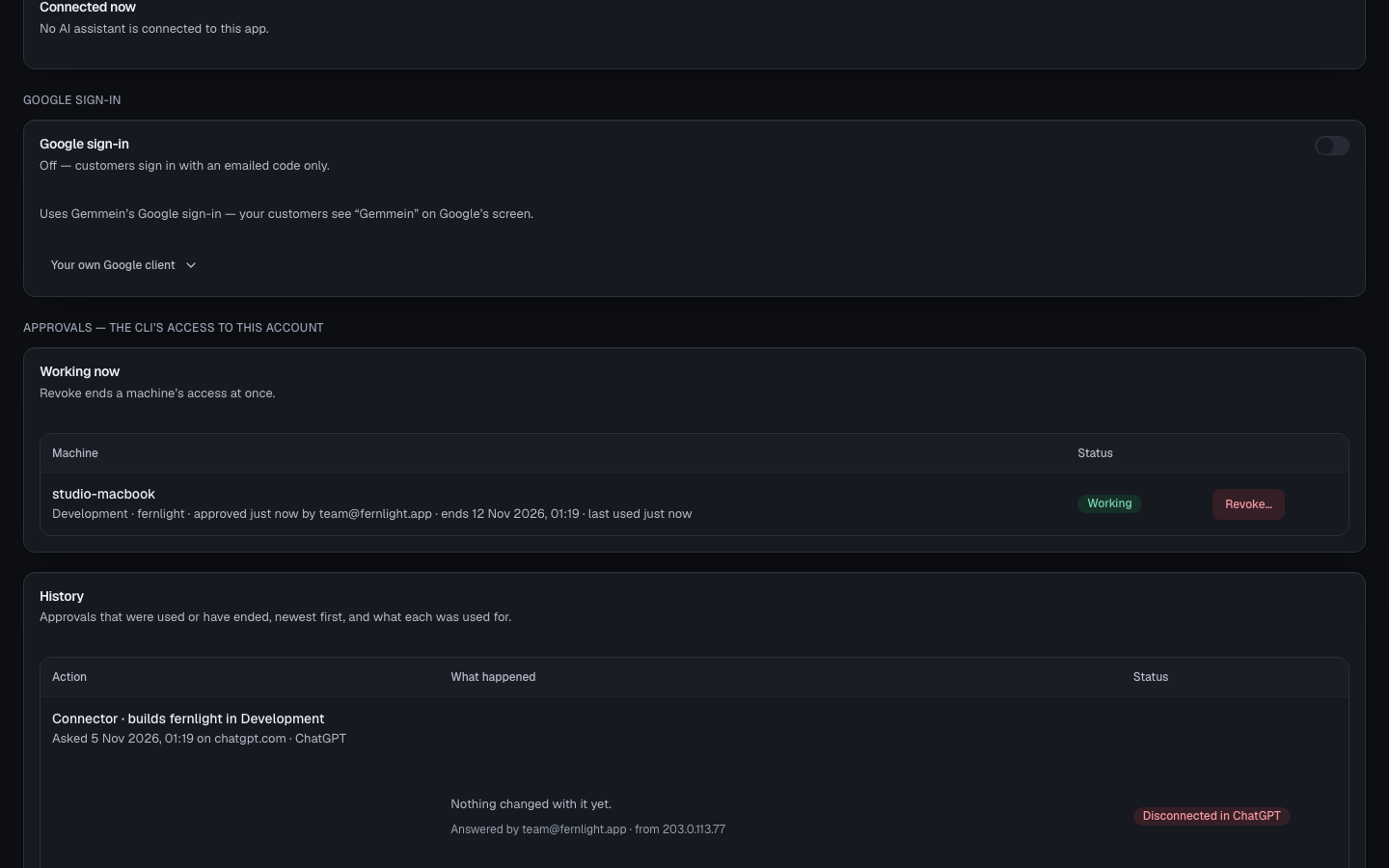
Open Settings, then Connections, for AI assistants, Google sign-in, and every computer and AI app approved to work on your app — all in one place.
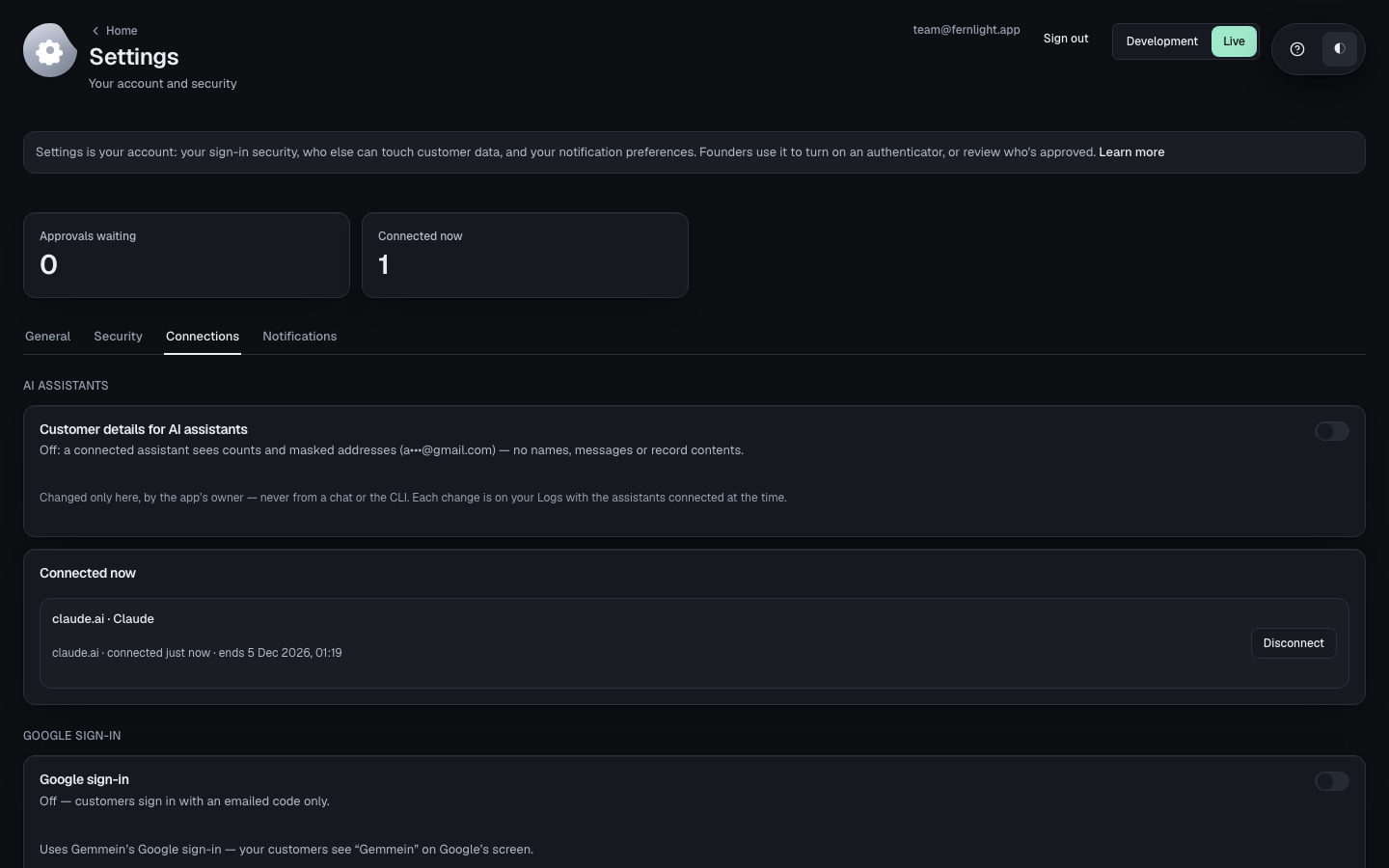
AI assistants
Customer details for AI assistants is off until you turn it on. While it's off, a connected assistant sees counts and masked addresses (a•••@gmail.com) — no names, messages or record contents. It changes only here, by you — never from a chat or the CLI — and each change is on your Logs with the assistants connected at the time.
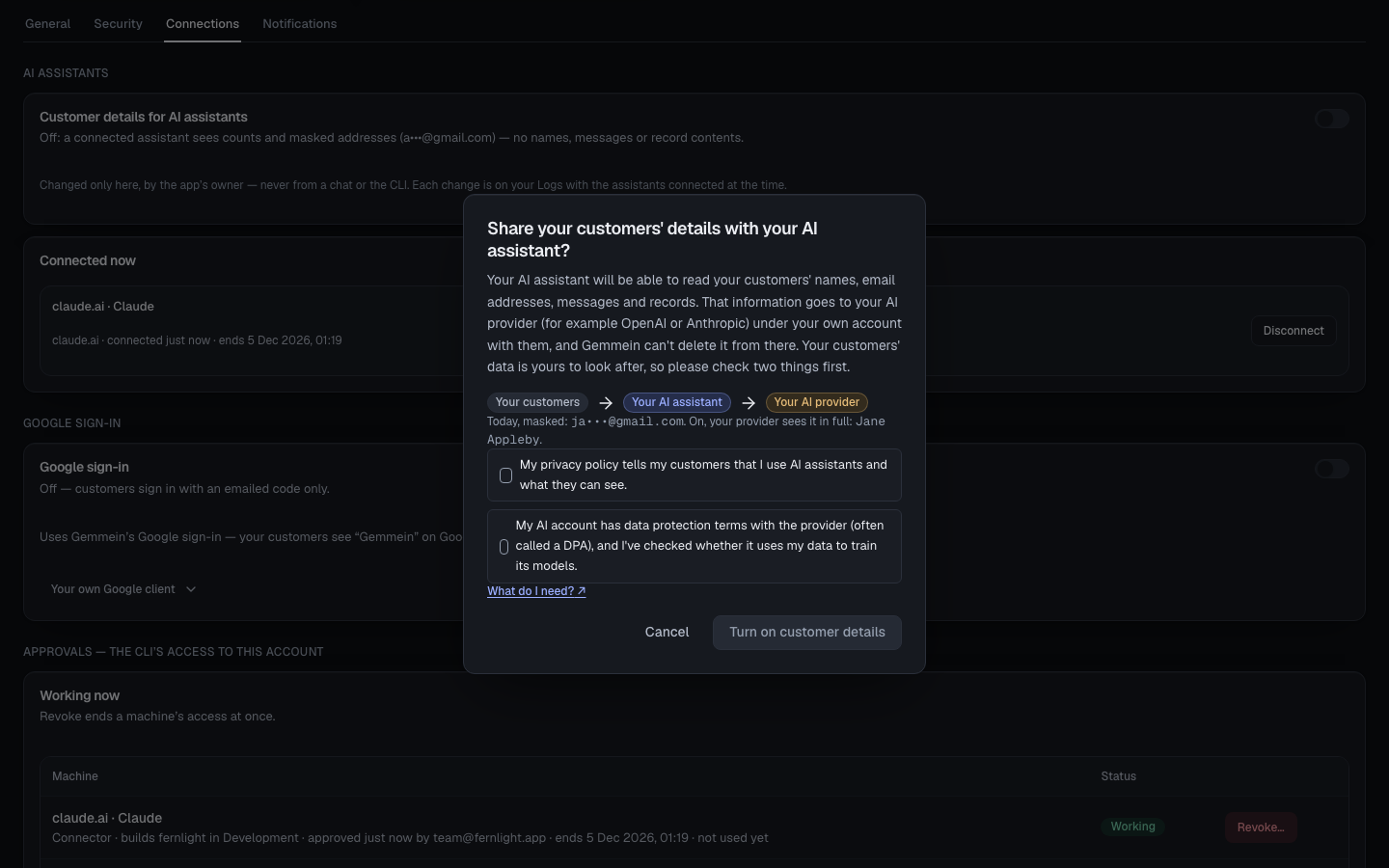
Turn it on to let a connected assistant read your customers' names, email addresses, messages and records. Read what that means, tick both, then choose Turn on customer details — or Cancel to keep it off.
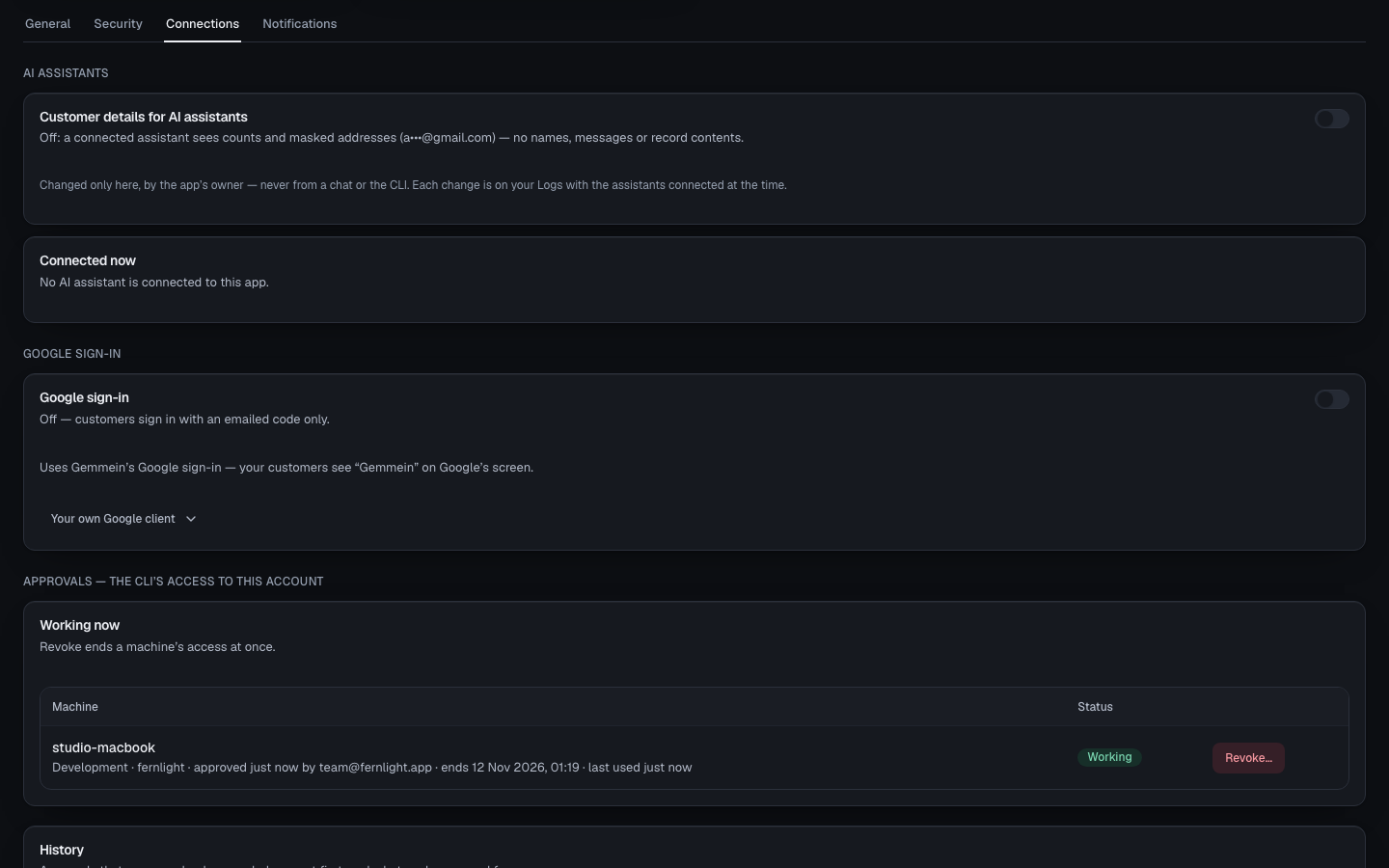
Choose Disconnect beside an assistant to end its connection. It stops at its next request, and connects again only when you approve it again.
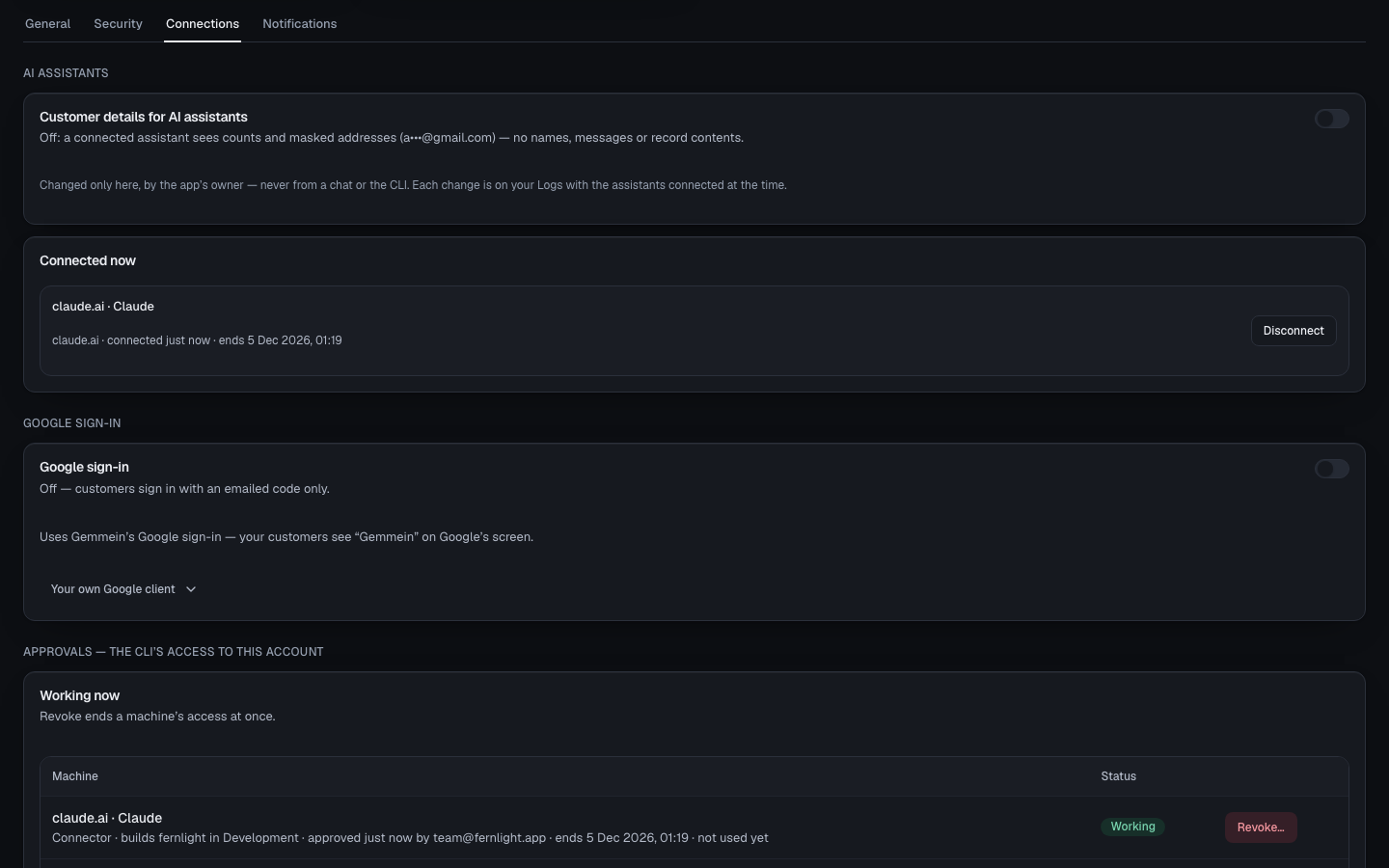
Google sign-in
Google sign-in lets your customers sign in with Google beside the emailed code. It's set separately for Development and Live.
Approving
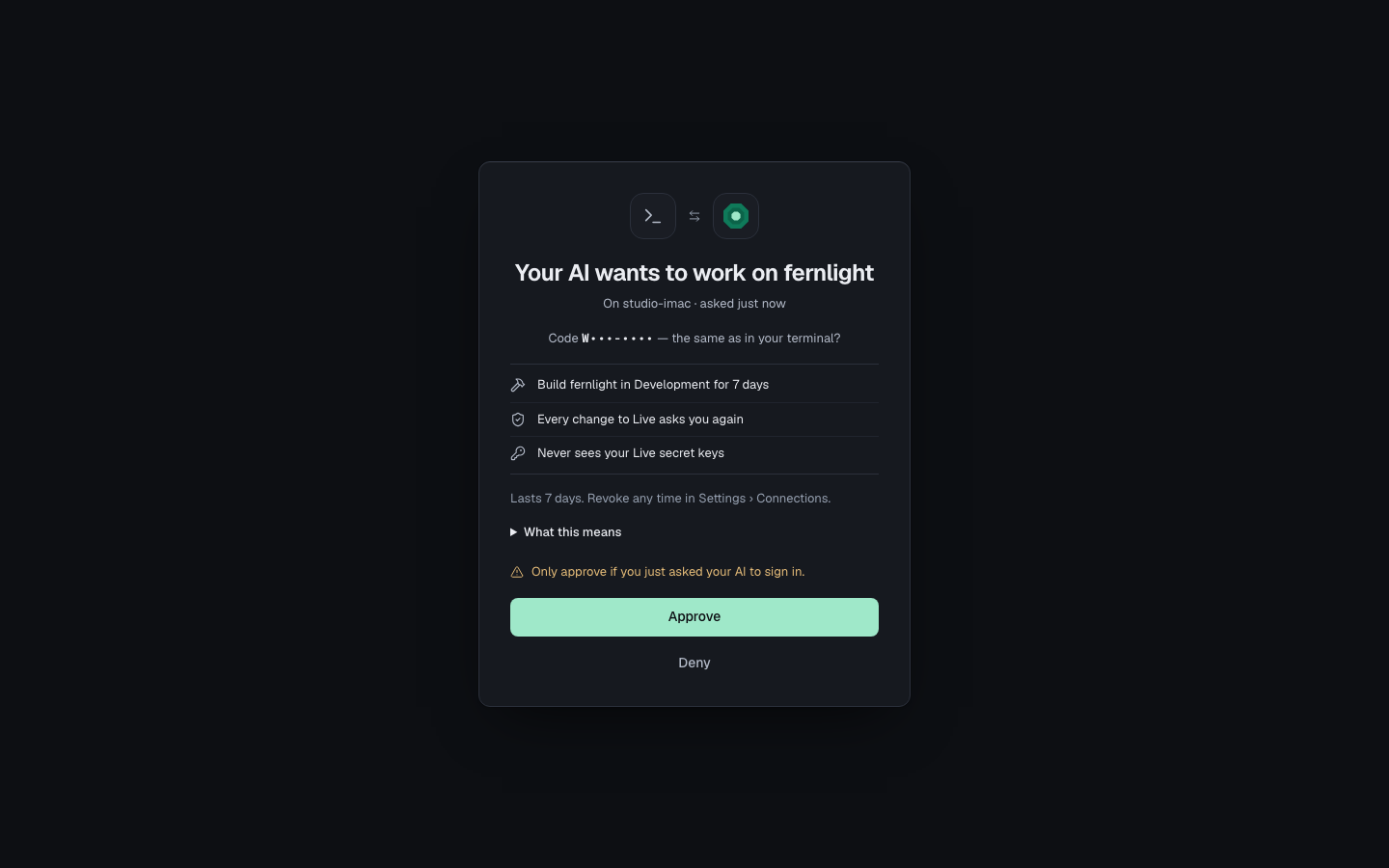
When your AI signs in from a new computer, Gemmein opens a page that says what it may do. Choose Approve, or Deny if you didn't ask for it.
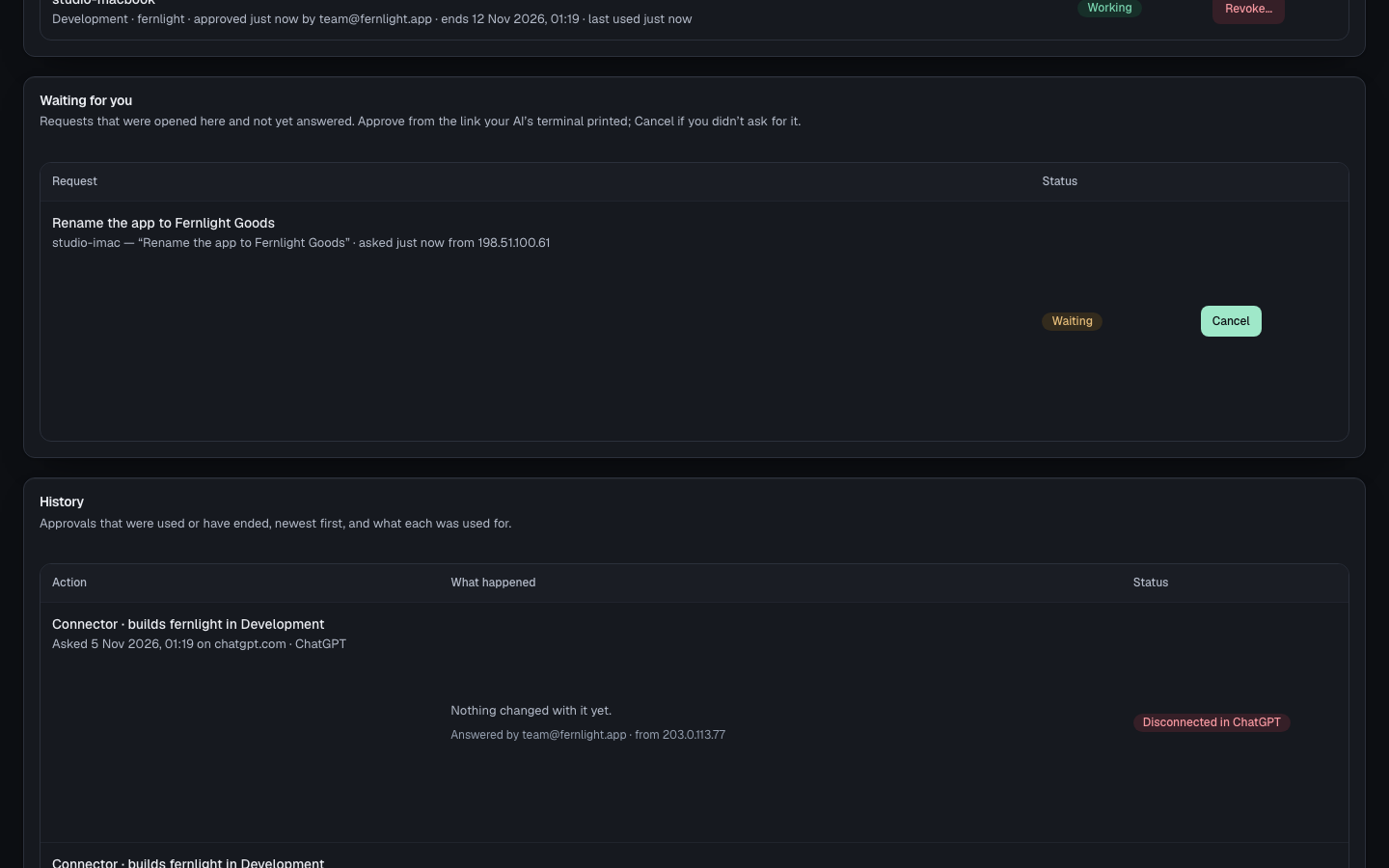
Waiting for you lists what your AI asked for and you haven't answered yet. Approve it from the link your AI gave you, or choose Cancel if you didn't ask for it.
Ending access
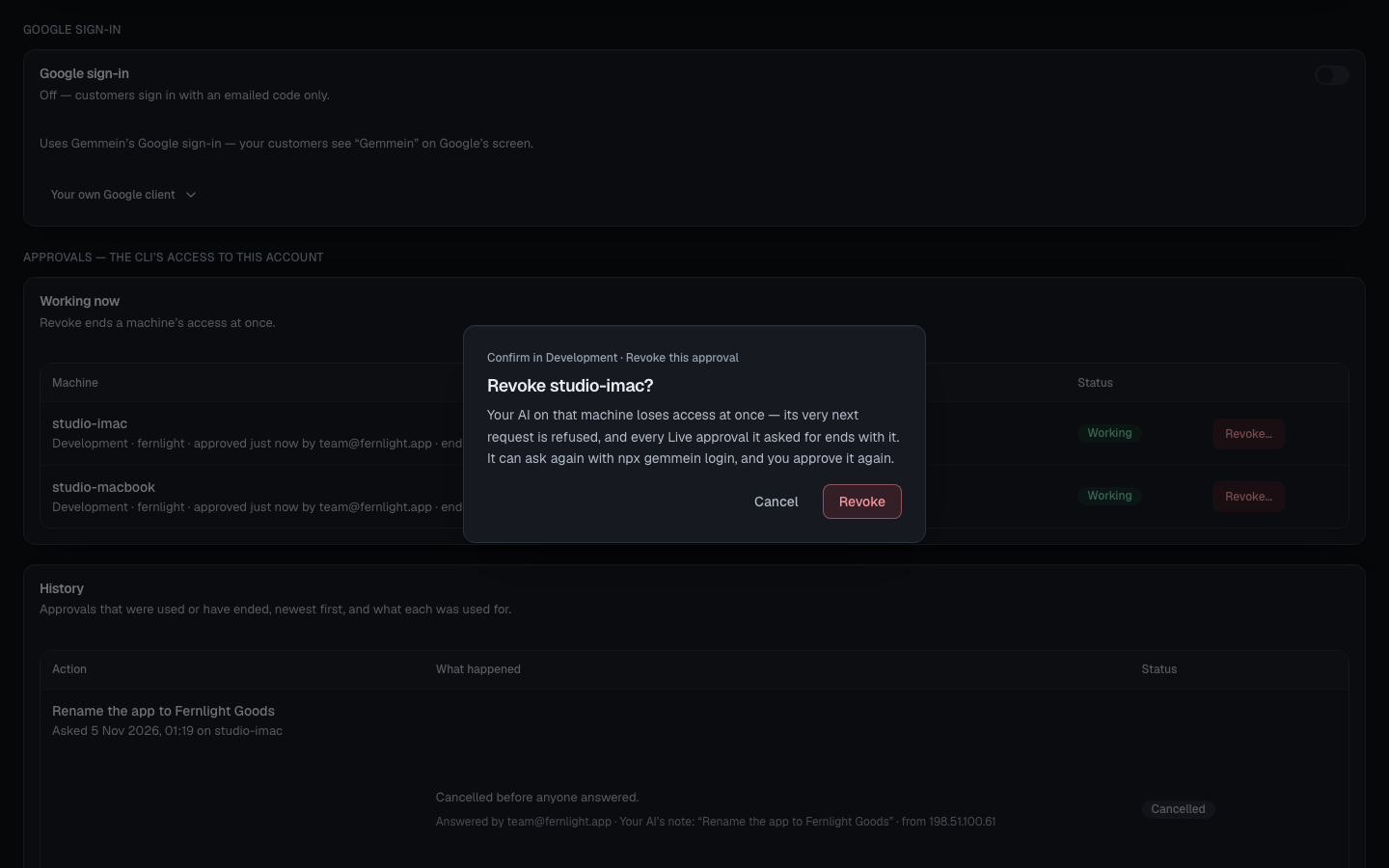
Choose Revoke… to end a computer's or AI app's access at once. Its next request is refused, and it can ask again only for you to approve it again.
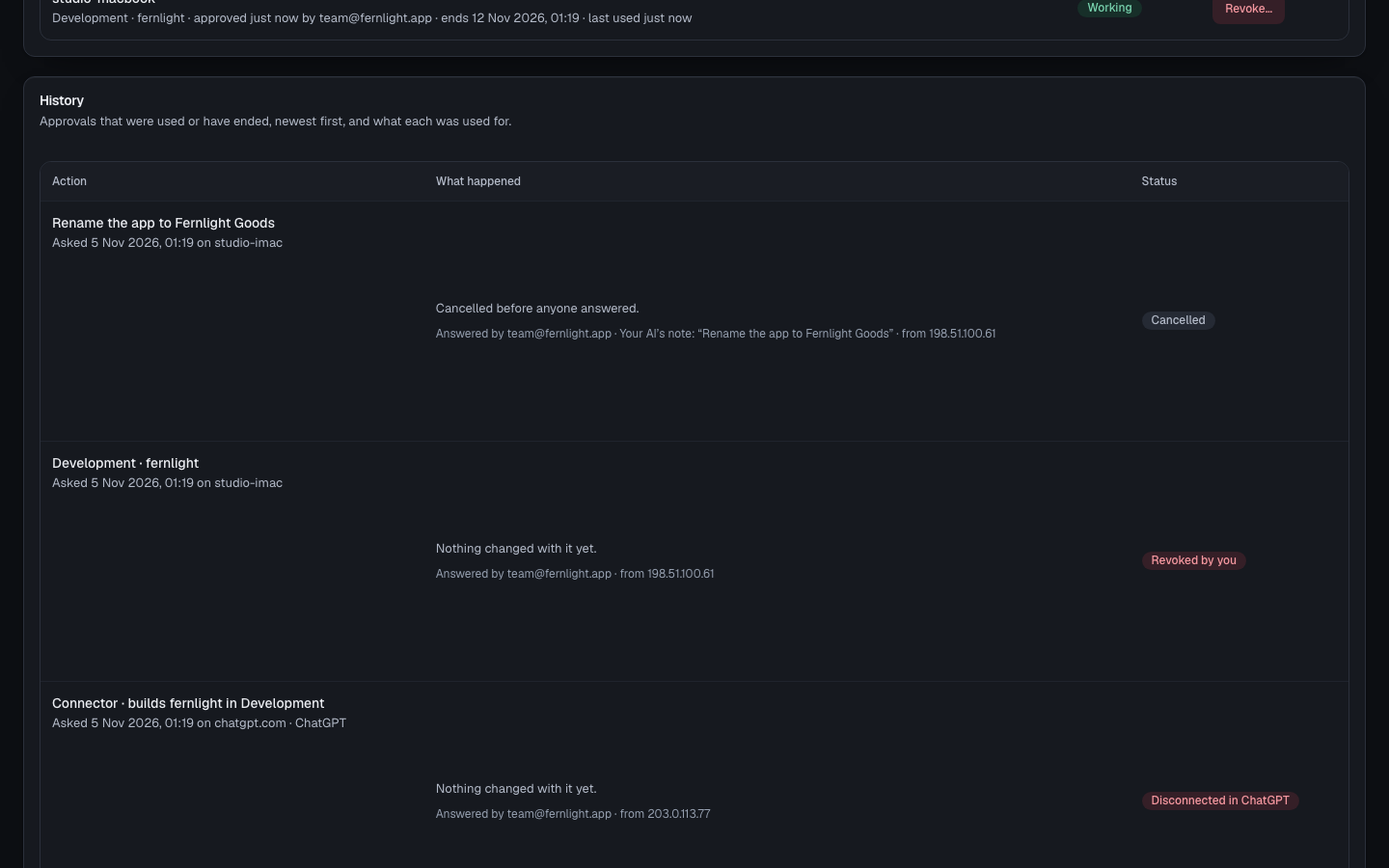
History
History lists approvals that were used or have ended, newest first — Used, Cancelled or Revoked by you here; an approval whose time ran out unused reads Ended, and one you disconnected in ChatGPT itself reads Disconnected in ChatGPT.
What do I need?
Before you turn this on, check two things:
Your privacy policy tells your customers you use AI assistants, and what they can see.
Your AI provider account has data protection terms (often called a DPA), and you've checked whether it uses your data to train its models.
Gemmein can't delete your customers' data from your AI provider once it's there — your provider account is your own agreement with them, separate from Gemmein's. Gemmein can suggest starting wording for your privacy policy, but it isn't legal advice; for anything unusual, ask a lawyer.
Errors
This request was cancelled. See every approval in Settings › Connections.
A request can be answered once. Ask your AI to ask again, and approve the new link.
How your AI asks and how you approve: Connect your AI.
Thanks for telling us.
Thanks for telling us.
Last updated